Compare this product's evidence—not broad platform stereotypes.
Google Sheets and Microsoft Excel both support collaboration in supported configurations. The decisive fact here is narrower: the delivered workbook was built and verified in Excel. A platform's ability to open a file does not validate every product behavior after conversion.
| Decision area | Microsoft Excel | Google Sheets workflow |
|---|---|---|
| Product validation | Primary environment; original XLSX is tested | Not a validated primary environment for this product |
| Working with XLSX | Native workbook format | Google documents editing, importing, or converting Excel files |
| Simultaneous collaboration | Available when Microsoft's co-authoring requirements are met | Google documents real-time collaboration for supported workflows |
| Formula and table behavior | Structured formulas tested in the delivered Excel files | Recheck formulas and table behavior after opening or conversion |
| Dropdowns and charts | Validated in the stated Excel environment | Recheck dropdown values, chart references, and rendering |
| Support boundary | Original, unmodified workbook in Microsoft Excel | Import and conversion differences are outside product support |
Use an Excel-first path when certainty matters more than conversion convenience.
- You want the exact macro-free XLSX that completed the product tests.
- One named owner or low-frequency handoff is acceptable.
- You can use Microsoft Excel for the operational source file.
- You do not need this seller to support Google Sheets conversion differences.
Use the free CSV checker, preserve the original XLSX, and test your conversion workflow before relying on a paid template.
Run five checks after opening, importing, or converting a copy.
- Order AmountConfirm the first calculated row and several later rows still use the intended quantity × unit-price logic.
- Data StatusCheck normal and deliberate issue rows so missing, duplicate, invalid, and overdue conditions still classify as expected.
- Payment-status dropdownsVerify Paid, Pending, and Cancelled remain selectable and do not silently become free text.
- Dashboard referencesConfirm KPI totals and charts still point to the correct source ranges after import or conversion.
- Number formatsCheck currency symbols, dates, percentages, and zero values; display formatting is not currency conversion.
Use fictional or de-identified rows for the test. Keep the original download unchanged so you have a known source for comparison and recovery.
Google and Microsoft describe different supported collaboration paths.
Google documents editing Excel files in Drive, importing Excel data, or converting a file to Sheets. Its help also says importing or converting does not change the original Excel file. Microsoft documents Excel co-authoring when supported Microsoft 365 versions, sign-in, file formats, and OneDrive or SharePoint Online storage requirements are met.
The product boundary stays the same in either platform.
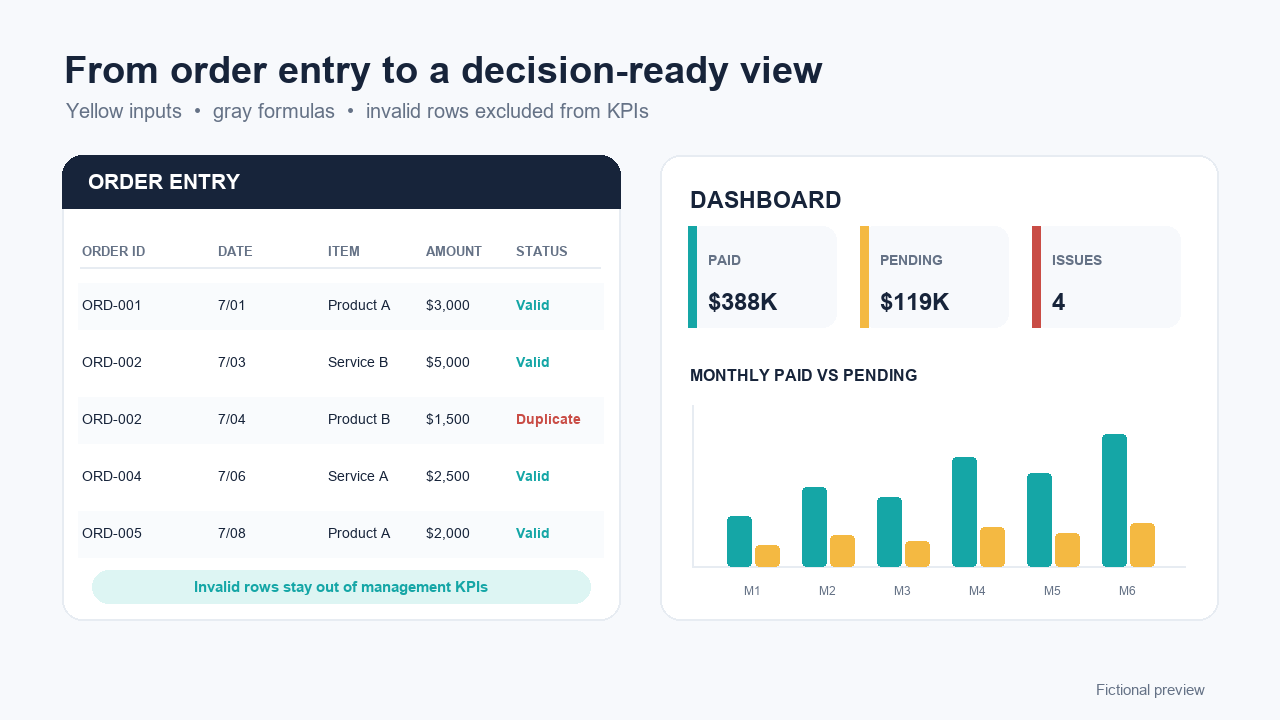
The workbook provides manual order entry, data-status checks, monthly and item-level summaries, and a dashboard for up to 500 rows. It does not issue invoices, connect to a bank, reconcile payments, manage inventory, maintain formal books, or provide a complete audit trail.
Standard permits one person or one internal organization. It does not permit client deployment or template resale. Consultant and Partner licenses are available only for substantive implementation work under their separate client limits.
Frequently asked questions
Does the workbook work in Google Sheets?
Google can open, edit, import, or convert Excel files, but this product is tested and supported with Microsoft Excel as its primary environment. Google Sheets may change structured formulas, dropdowns, chart references, or number formats, so a converted copy must be checked before operational use.
Does importing or converting the file change the original Excel workbook?
Google's current help says importing Excel data or converting an Excel file to Google Sheets does not change the original Excel file. Editing an Excel file directly in Sheets is a different workflow: changes are saved to that original Microsoft Office file.
Can several people edit the Excel workbook at the same time?
Excel supports co-authoring under specific Microsoft 365, supported-version, file-format, sign-in, and OneDrive or SharePoint Online conditions. That platform capability does not change this product's recommended one-owner or low-frequency collaboration boundary.
Are Google Sheets conversion problems included in support or refund coverage?
No. Support covers download, opening, included instructions, and reproducible defects in the unmodified original workbook in the stated Microsoft Excel environment. Third-party imports, conversions, formula rewrites, and layout changes are outside that scope.
Which option should I choose for this product?
Choose Excel when you want to use the workbook in its tested primary environment. If real-time Sheets collaboration is a hard requirement, use the free checker and conversion checklist first; do not buy until a copy passes your own formula, validation, chart, and number-format tests.